CatStats Logo

NATS Setup Instructions

Follow these steps to connect your NATS platform to CatStats for advanced analytics

📋 Prerequisites

Before starting, ensure you have administrator access to your NATS platform and can create API keys.

1Enable API Access and Whitelist the Catstats IP

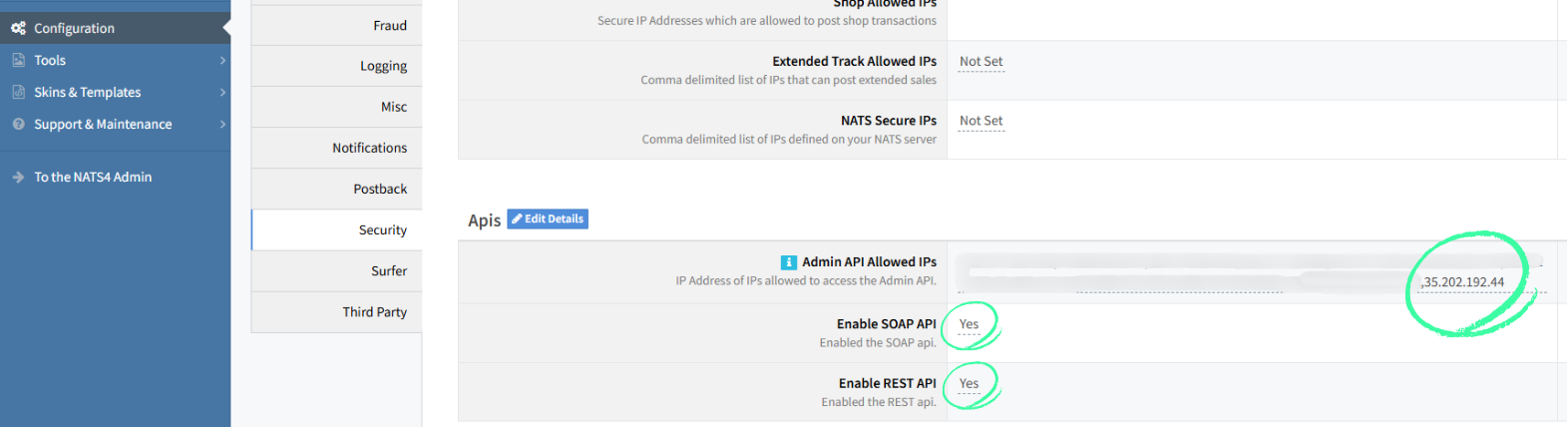
In the NATS5 interface, navigate to Configuration > Security > Apis from the left menu.

You will need to configure the following settings:

NATS API Configuration Screen

2Generate API Key and Grant Necessary Permissions

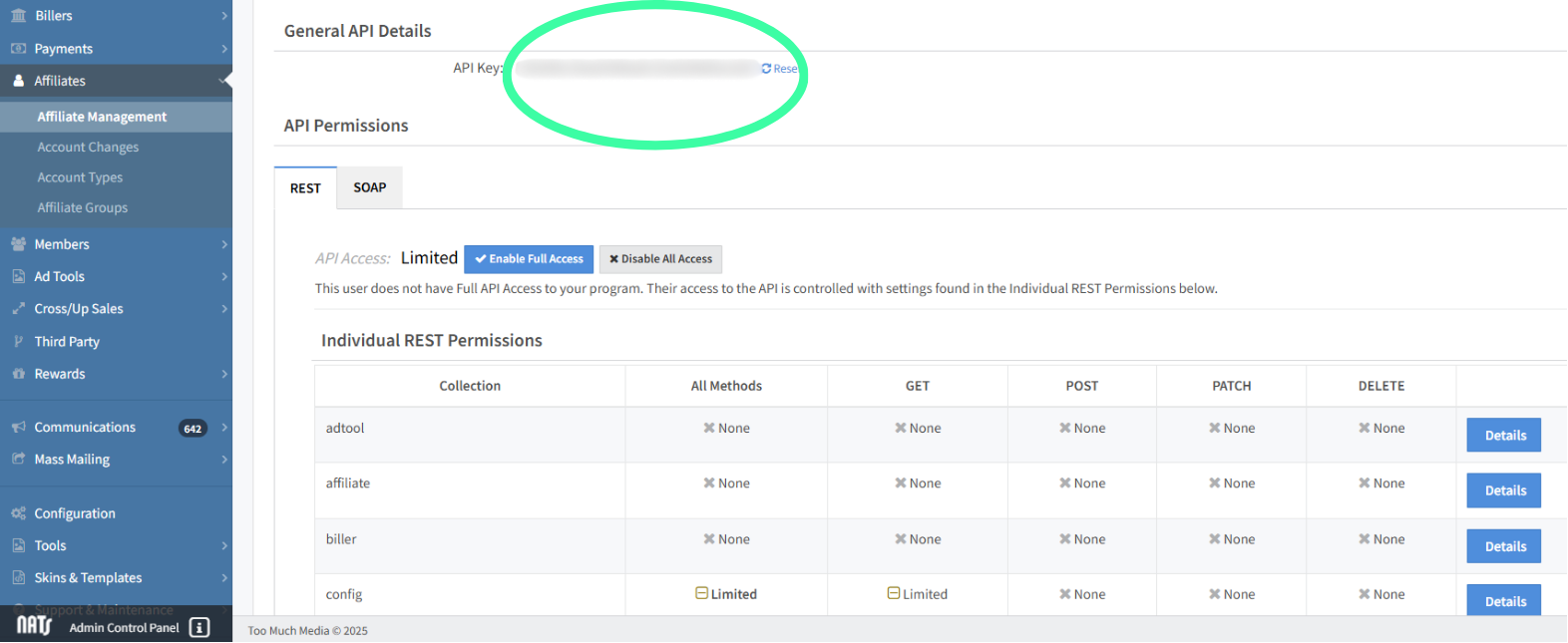
In the NATS5 interface, navigate to Affiliates -> Affiliate Management -> Identify an affiliate account you'd like to impersonate, preferably a NATS admin from one of your internal users (Alternatively let us know and we can signup on your platform and have Catstats as Affiliate account). Click on the affiliate name and navigate to the API tab.

NATS API Key Screen

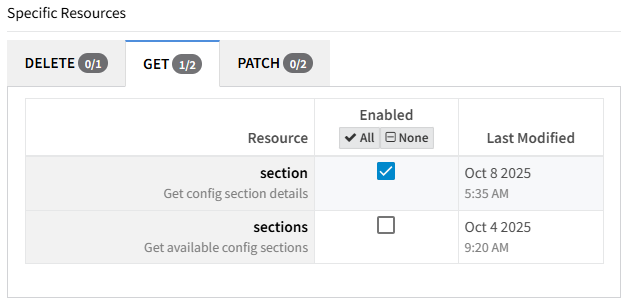
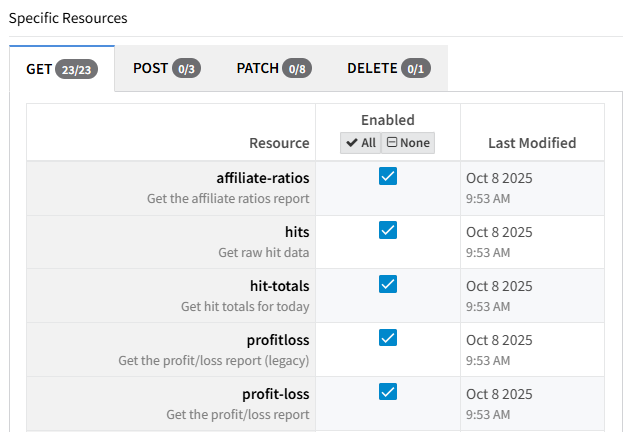
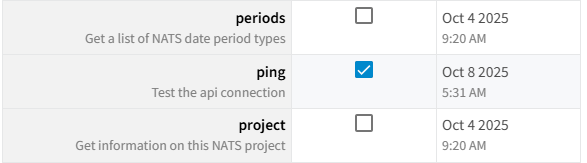
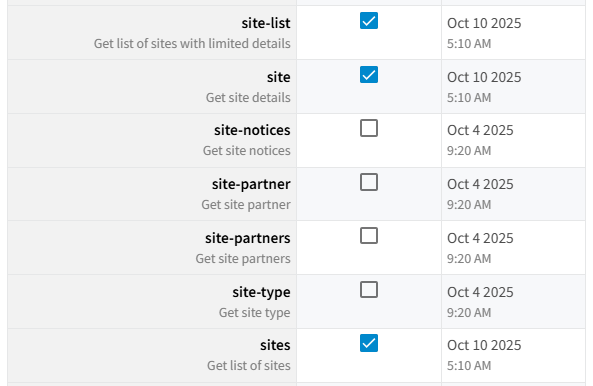
Before copying the API key, please ensure it has the following permissions:

2.1 Config Permissions

Config → GET (/section endpoint)

NATS API Config Permissions

2.2 Report Permissions

Report → GET (All 23 endpoints)

NATS API Report Permissions

2.3 Service Permissions

Service → GET (/ping endpoint)

NATS API Service Permissions

2.4 Site Permissions

Site → GET (endpoints /site-list, /site, /sites)

NATS API Site Permissions

🔒 Security & Permissions Notes:

  • The required permissions are read only. CatStats does not alter your NATS data, only reads the necessary information for your reports.
  • The required permissions are the absolute minimum permissions for CatStats to properly work and nothing more.
  • Please double check that the API key has been granted all the requested permissions, otherwise the sync between NATS and CatStats will not work.

Once you have saved the permissions, copy the API key from the place encircled in the screenshot below:

NATS API Key Generation
🔒 Security Note: Save this API key securely. You'll need to provide it to CatStats, and it won't be shown again.

3Connect to CatStats

Once you have retrieved the API key, please email us at support@catstats.ai and we will provide you with a secure intake portal for you to upload the API key.

🔐 Secure Integration Process:

  • HTTPS Web Portal: Access a secure form hosted on Google Cloud infrastructure
  • Encrypted Key Storage: Your API credentials are automatically stored in Google Cloud Secret Manager with enterprise-grade encryption
  • Audit Trail: Full logging and access policies ensure complete security and compliance

Automated Setup: Once submitted, your analytics dashboard is provisioned within hours

What You'll Get After Setup

Customer Acquisition

Whose trials convert?
Wondering whose trials convert better?


With our dashboard

  • 🎯 you monitor trial conversion rates across all your sites
  • ⚡ Check which affiliate brings paying customers
  • 📊 Validate which promotions bring most of the paying new users

Perfect to understand you best new users acquisition source
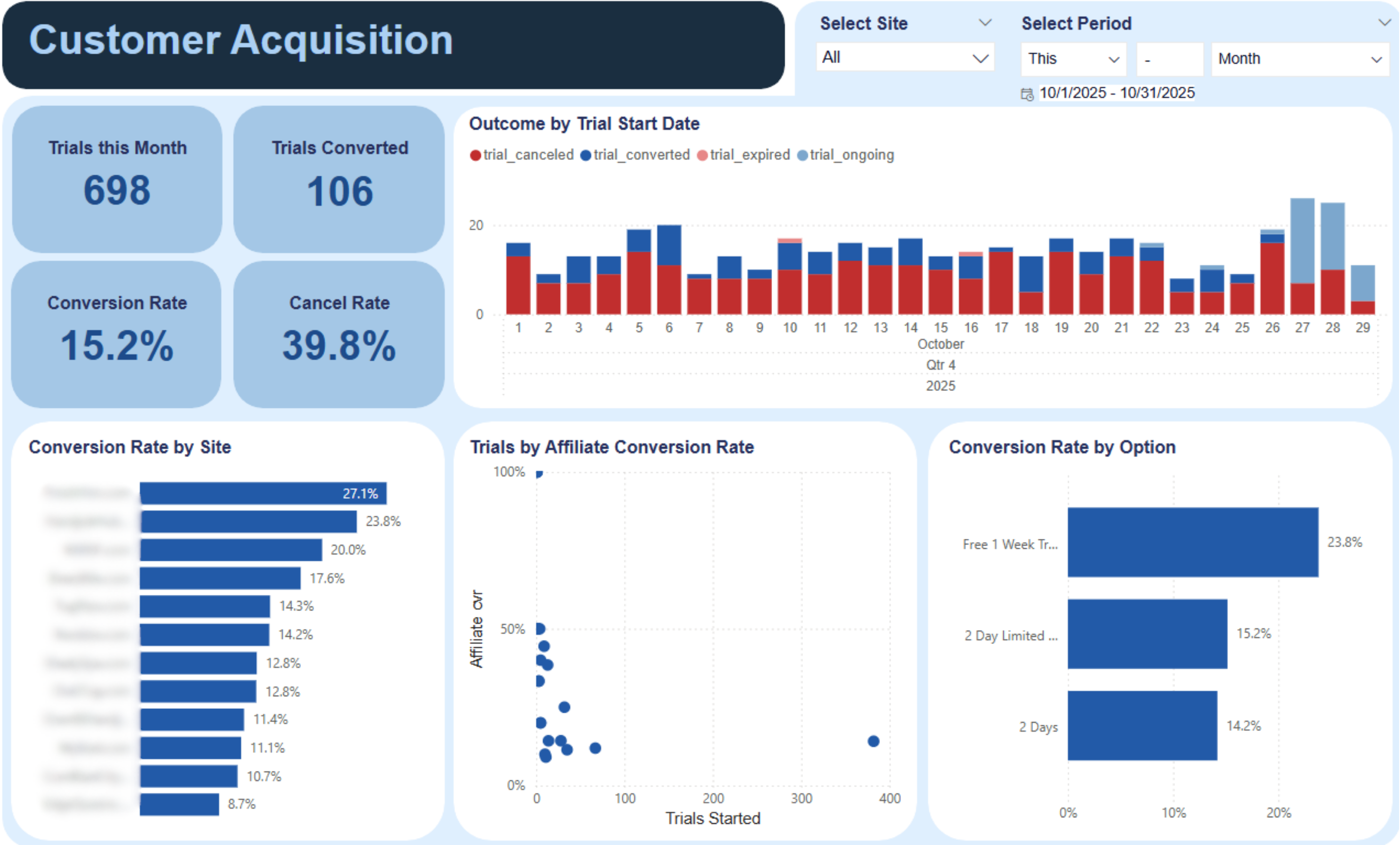
Customer Acquisition Analytics

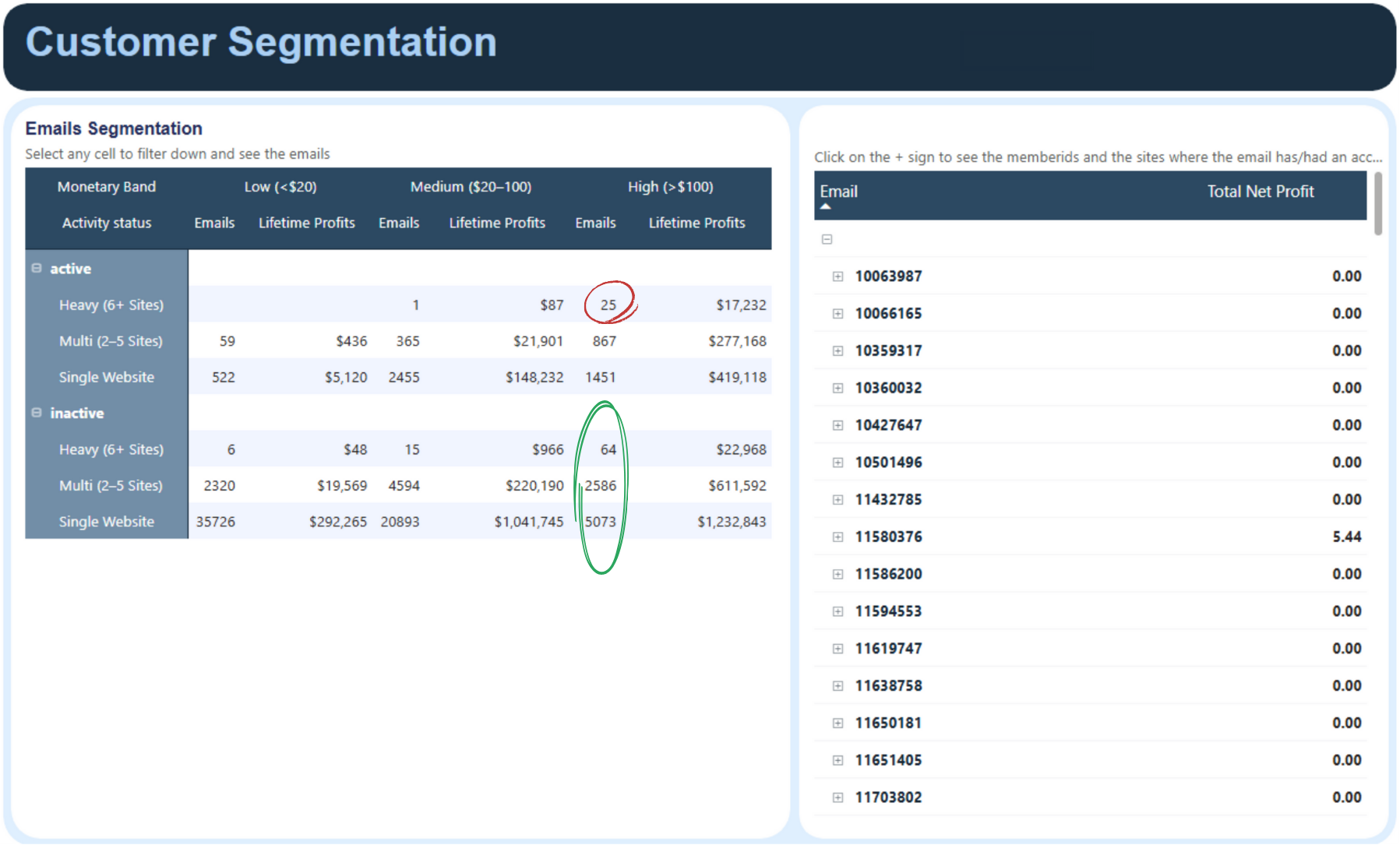
Customer Segmentation

Segment your members and design personalized promotions.


Planning for a User of the Month free give away?
Easy, pick the active, high LTV users with accounts on multiple websites


Planning a reactivation campaign?
Easy, select your highest paying, inactive users and send them an email.

Customer Segmentation

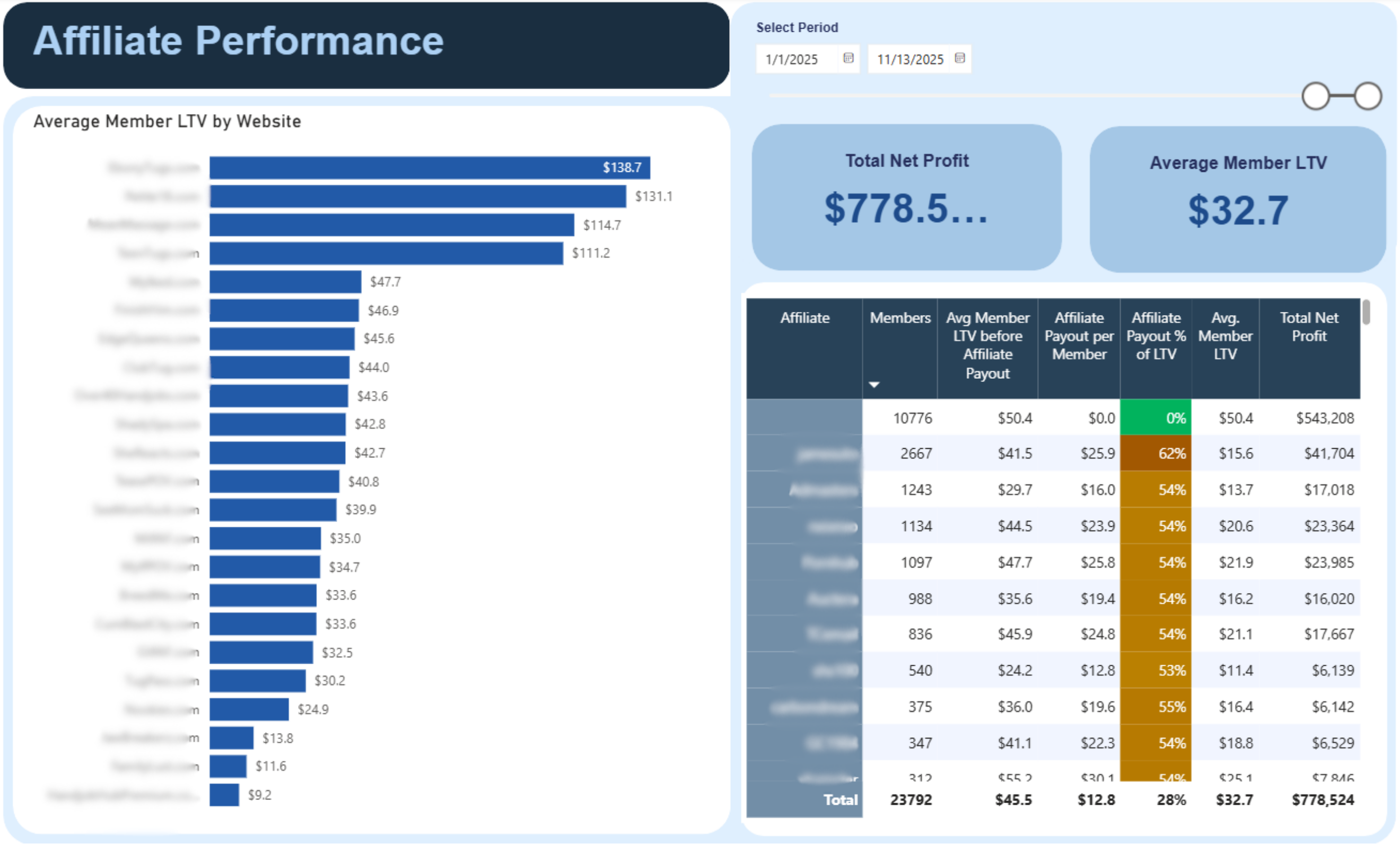
Affiliate Performance

Wondering if you're overpaying?
Wonder no more.

  • 🎯 Check which affiliate bring the highest LTV
  • ⚡ Compare SEO, paid media and affiliate to smartly allocate your budgets
  • 📊 Switch from revshare to fixed CPA by knowing exactly how much every source's traffic is worth to you

Cross promo offer for $30 per user? Check against the dashboard to see if you should accept or refer the user to one of your other sites

Affiliate Performance Dashboard

Need Help with Setup?

Our team is here to help you get connected quickly and efficiently.

Schedule Setup Call Email Support
×